
3D Product Configurator for Shopify: Offer Personalization Directly in Your Shop
Quick Answer: A 3D product configurator can be integrated into Shopify without custom development: a SaaS solution like 3D Designer connects to your shop, customers design their product in real-time 3D and add it directly to the Shopify cart — including a design screenshot, price, and automatically generated print data. Setup takes a few weeks instead of months.
Shopify makes many things simple — but true product personalization with 3D preview is not one of them. If you sell t-shirts, promotional items, or personalized products, you'll quickly hit the limits of standard apps: no real-time 3D view, no print data, no team orders. In this guide, we'll show you how to get a full-featured 3D configurator in your Shopify shop.
Why is a standard personalization app in Shopify often not enough?
The Shopify App Store offers many personalization apps — but most work with flat 2D previews or simple text fields. For a t-shirt with a simple design, that might be enough. Once customers need to change colors on multiple surfaces, place logos freely, or design a complete jersey, you need three things that 2D apps can't deliver:
- Real-time 3D preview — Customers see their design from all angles on a realistic 3D model, not as a flat preview image.
- Print-ready data — Every order automatically becomes a production-ready print file. Without it, you manually recreate each design.
- Complex orders — Team orders with names, numbers, and sizes per player can't be implemented in standard apps.
How does integrating a 3D configurator into Shopify work?
With a SaaS solution like 3D Designer, integration happens in three steps:
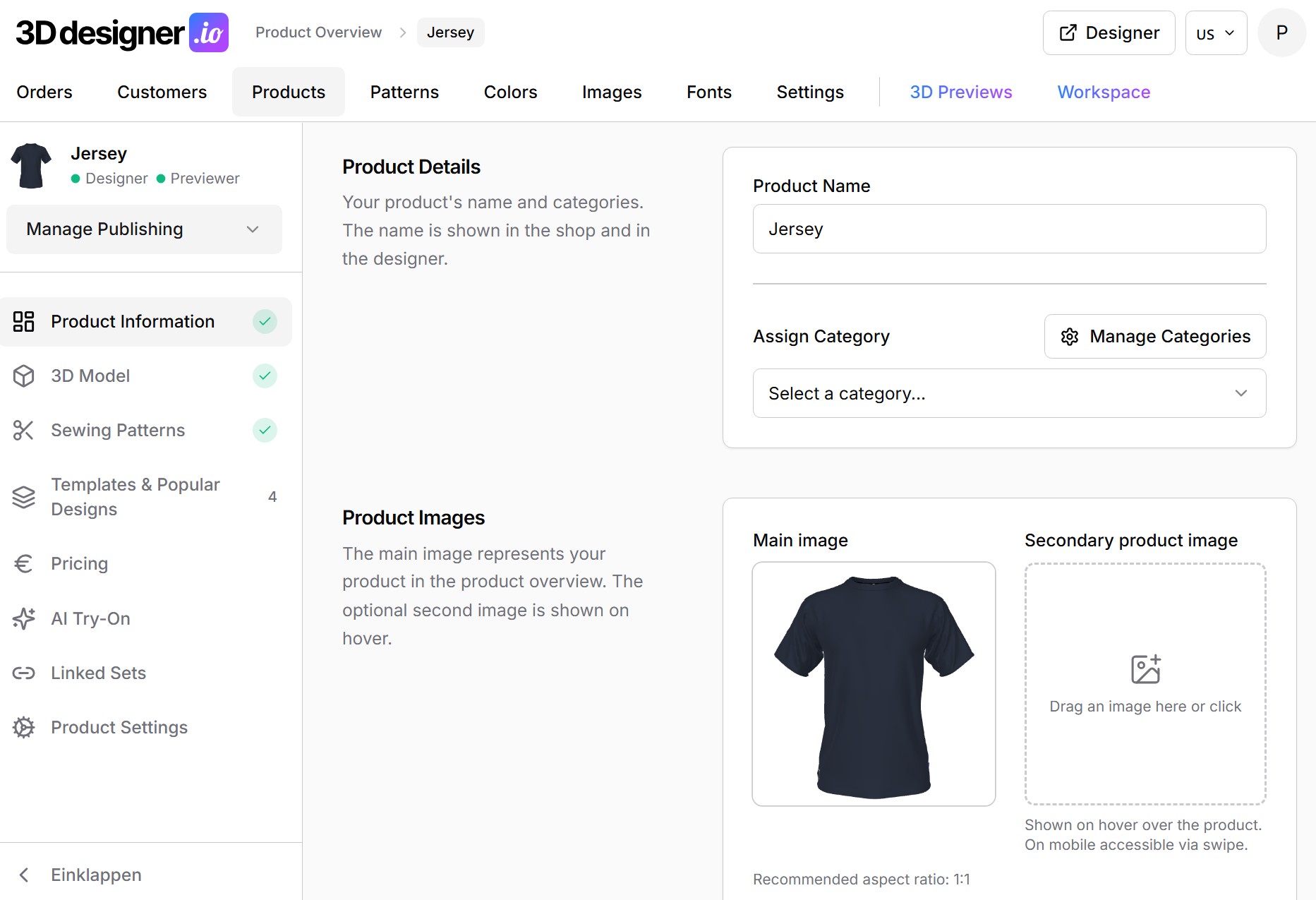
1. Create products in the admin dashboard
You manage your products, color sets, patterns, and design areas in the configurator's admin dashboard — no programming required. Upload 3D models of your products or have them created as part of the setup.
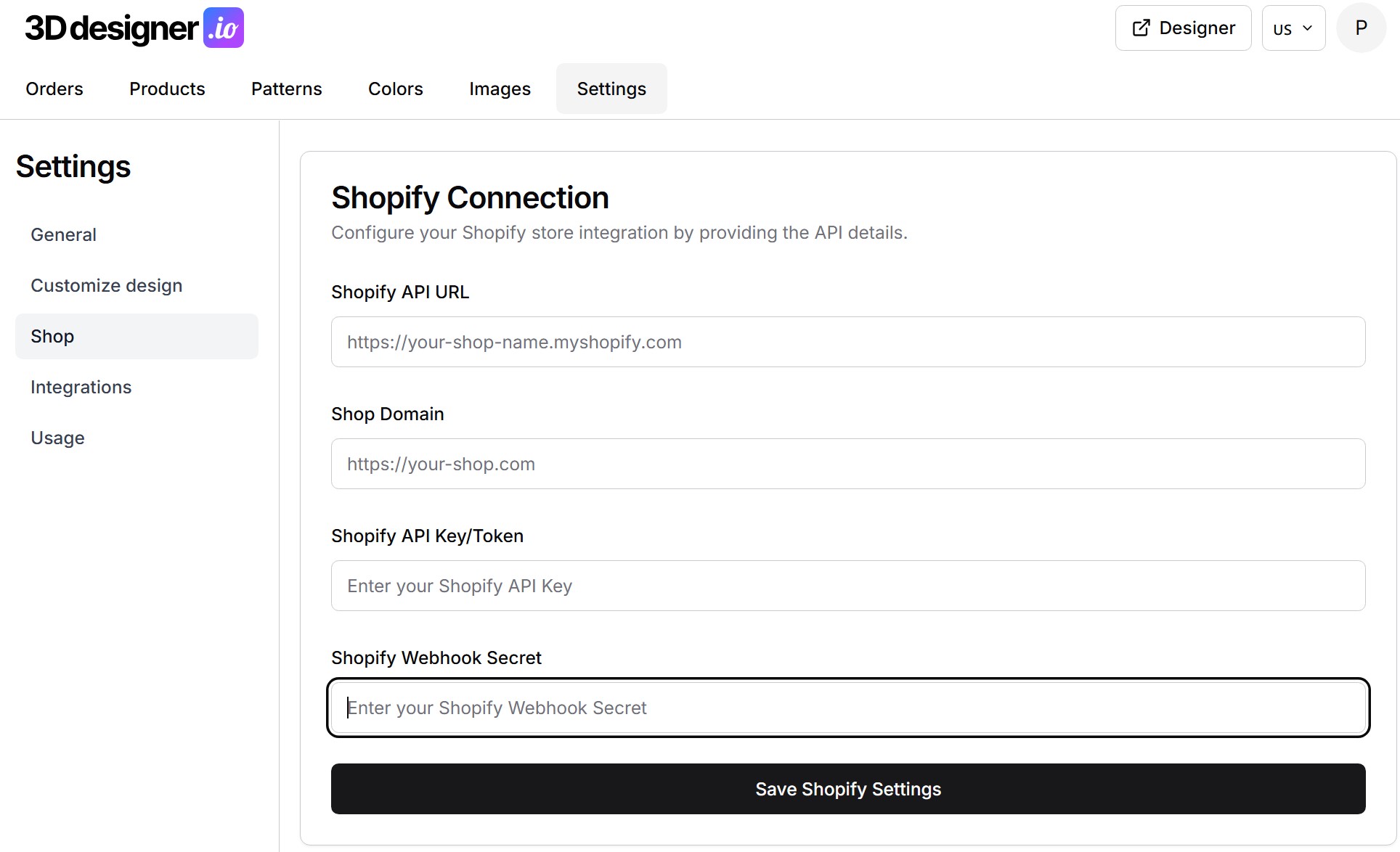
2. Connect the configurator to your shop
The configurator is linked to your Shopify shop and embedded under your brand. Your customers design their product and add it directly to the Shopify cart — items can also be added to an already-filled cart.
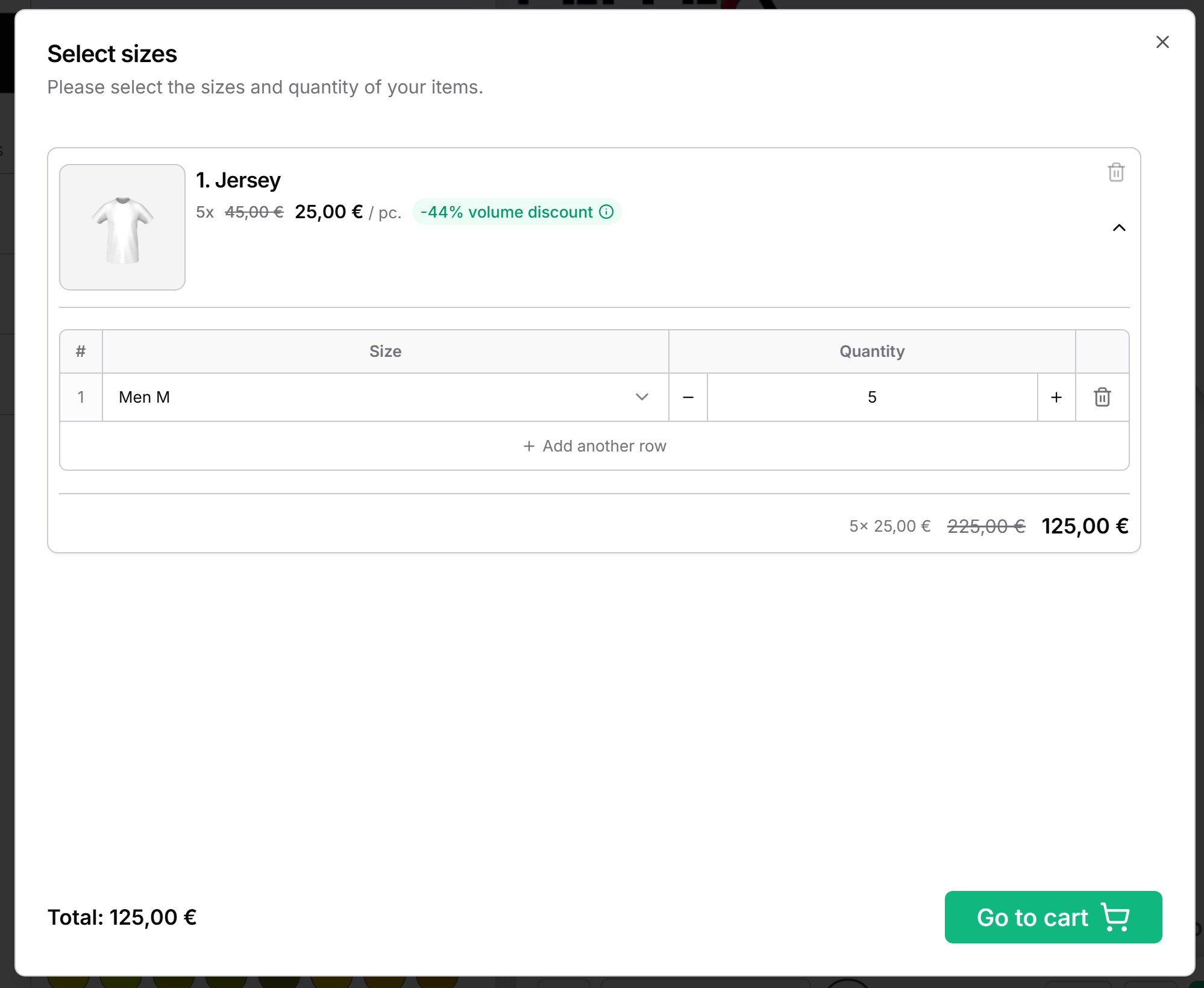
3. Check pricing and order flow
Prices from Shopify are displayed directly in the configurator, including tiered pricing. A test order shows you whether design, price, and print data flow through correctly.
What happens to the design in the cart and order?
This is where a full-featured configurator differs from a 3D viewer. With 3D Designer, after clicking the purchase button, the following happens automatically:
- Design screenshot in the cart — An image of the designed product is transferred to Shopify. Your customers see the exact product they designed in the cart and order confirmation.
- Print data for production — The design automatically becomes a print-ready file (PDF or SVG) that you can pass directly to your production facility or print service provider.
- All order details in one place — Colors, text, uploaded logos, and team information are organized in the order overview.
What features should a Shopify configurator have?
When comparing providers, it's worth checking:
- Real-time 3D on all devices, including mobile with touch
- Logo and image uploads — PNG, JPG, SVG, and ideally vector formats like PDF, EPS, and AI
- Color management with CMYK values for color-accurate printing
- Design templates and presets so customers don't start from scratch
- Team orders with names, numbers, and sizes
- Automatic print data from every order
- White-label — the configurator runs under your brand, with your colors, favicon, and branding
- Admin dashboard where you manage products and options yourself
A comprehensive checklist can be found in our guide Offer a 3D Configurator like Owayo.
How long does Shopify setup take?
With a ready-made SaaS solution, a realistic timeline is:
- Week 1: Account setup, create products and color sets in the admin dashboard
- Week 2: Upload or have 3D models created, design templates
- Week 3: Set up Shopify connection, check pricing and test orders
- Week 4: Launch
For comparison: in-house development typically takes 6 to 24 months and a six-figure budget. For most Shopify merchants, SaaS is the faster and more cost-effective approach.
Conclusion
A 3D product configurator sets your Shopify shop apart: customers design their product in real-time, see exactly what they're ordering in the cart, and you get production-ready print data included. With a SaaS solution like 3D Designer, you'll be live in a few weeks — without a developer team and without upfront investment in custom development.
FAQ
Does a 3D configurator work with every Shopify plan?
Yes. The integration runs through the connection to your shop and isn't tied to a specific Shopify plan. 3D Designer also supports WooCommerce.
Are Shopify prices displayed in the configurator?
Yes. 3D Designer shows prices from Shopify directly in the configurator, including tiered pricing. Your customers can see the product cost at any time while designing.
Does the customer see their design in the Shopify cart?
Yes. A screenshot of the designed product is automatically transferred to Shopify and displayed in the cart. The customer sees the exact product they designed — not the standard product photo.
Do I need programming skills for the integration?
No. You manage products, colors, and design areas in the admin dashboard; the shop connection runs without custom development. Setup support is part of the onboarding.
What happens to the designs after the order?
A print-ready file is automatically generated from every ordered design. Order details — colors, text, logos, team information — can be found organized in the order overview in the admin dashboard.