
April 2025 Update
Team Orders, Product Rules, and the New Customer Portal
In April, the focus was on automating recurring manual work and bringing the designer closer to real-world processes. Team orders, clear product rules, and the first step toward a customer portal were at the forefront.
Team Orders with Names, Numbers, and Initials
From now on, orders also work for entire teams, clubs, or companies. Names, numbers, and initials can be placed on products.
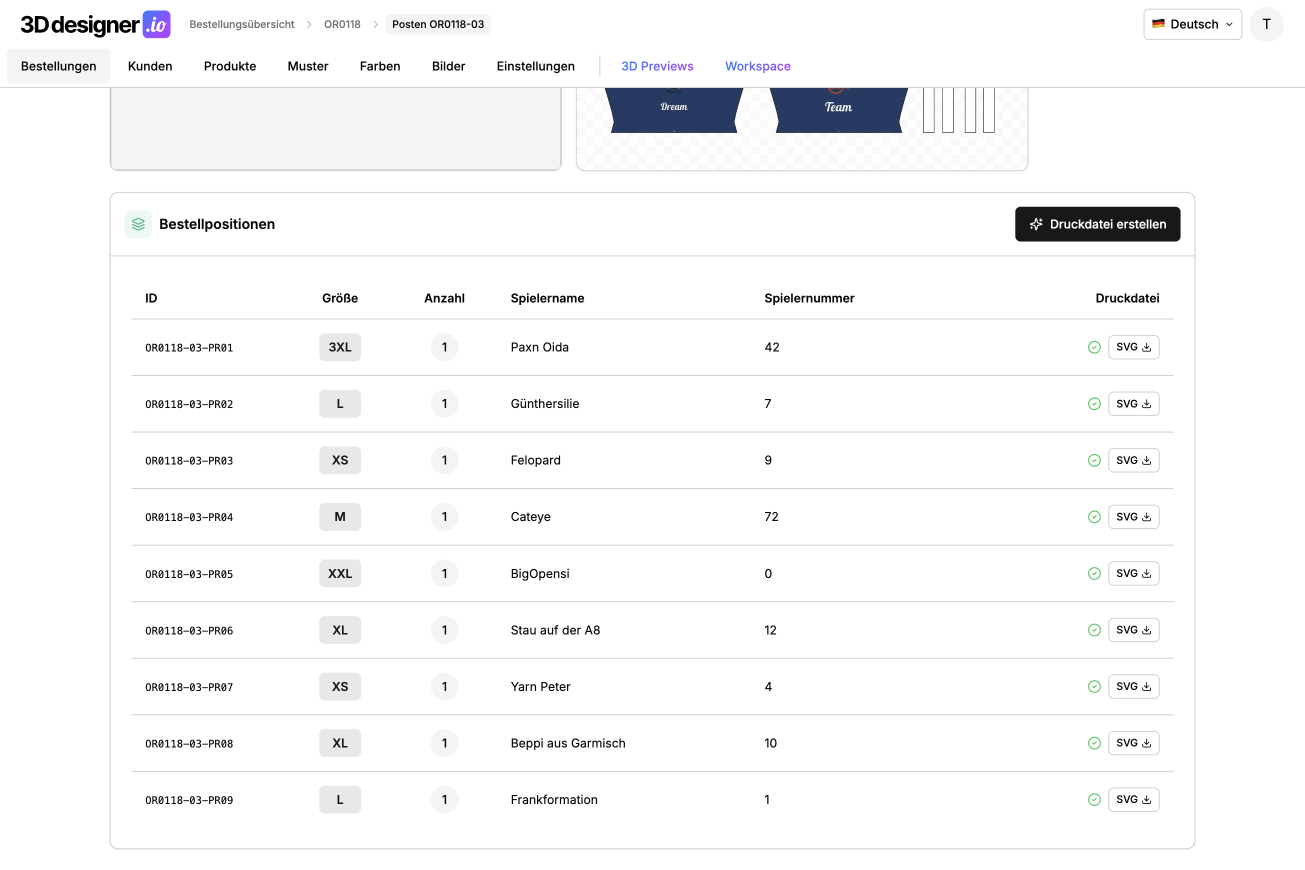
The customer enters the team information centrally and can then set the size and individual details for each person. The system automatically generates a separate print file for each person from this data. Each file is correctly scaled to the respective size and contains exactly the combination of name, number, and initials that belongs to that person.
What previously had to be manually adjusted for each person over hours now happens in seconds. Especially with larger teams, this saves enormous amounts of time and reduces errors that can easily occur when information is accidentally assigned to the wrong size.
Control Product Features Strategically
After the previous month already enabled rules at the level of individual pattern pieces, these can now also be set at the product level.
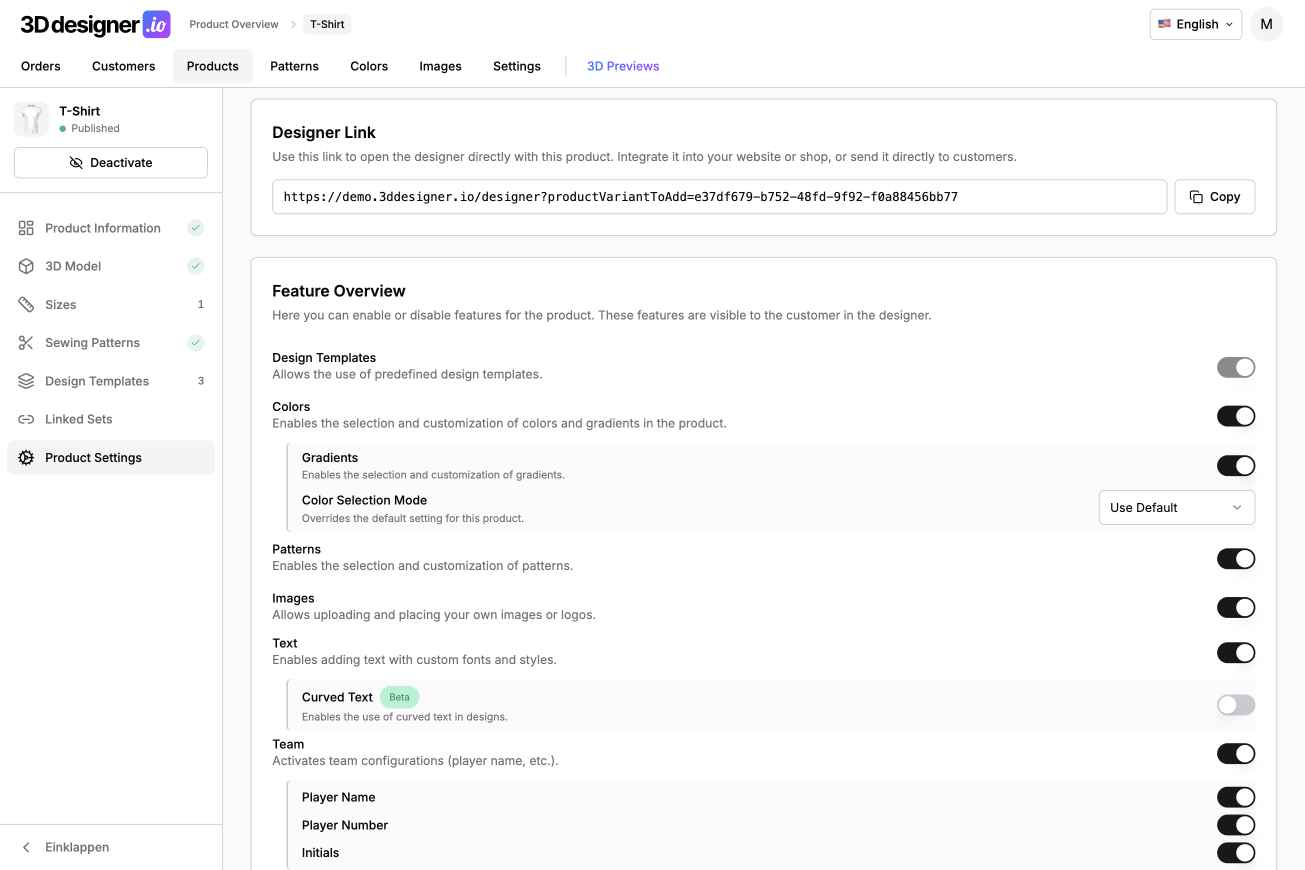
You can define which features are allowed or disabled for an entire product. For example, images and text can be completely excluded, or patterns can be selectively allowed or prohibited.
The team feature can also be activated or deactivated. This way, you can specify, for example, that only names and numbers are allowed, but not initials. This provides clear guidelines and prevents customers from using design options that are not sensible or technically possible for the respective product.
The Launch of the Customer Portal
With the April update, the first version of a new, larger feature has gone live: the customer portal.
This is an optional add-on package that you can integrate into your designer. Customers can create their own account. Designs are saved and available across devices.
Additionally, there is now the ability to save drafts. A customer can design a product but not order or request it directly. Instead, it goes into drafts and can be opened again later, edited further, or added to the cart at any time.
The customer portal is still in its early stages and will be expanded step by step in the coming months. New features are already planned. You can now test the customer portal for free, try it out, and provide feedback. This feedback flows directly into further development so that the portal grows as closely as possible to your real requirements.
Conclusion
The April update brings structure and automation above all. Team orders drastically reduce manual work, product rules provide clear design boundaries, and the customer portal lays the foundation for long-term customer relationships and repeat orders.