
April 2026 Update
AI Try On, searchable orders and more convenience in the Designer
In April, we made improvements across multiple areas. With AI Try On, a model now wears your designs directly. Orders are now searchable, you manage tiered pricing directly with us, and the 3D Designer has received a whole series of small improvements that make everyday work noticeably easier.
AI Try On – See designs on the model
The biggest new feature in April is AI Try On in the 3D Preview. Your customers can now see designs worn directly by a model, getting a realistic feel for the finished product. Instead of just seeing the 3D model, an image is created that shows the look on the wearer.
AI Try On can also be used in the 3D Designer itself. With a single click from an existing order, you can directly generate an AI Try On. This quickly gives you a suitable preview image for every sold design – for example, for marketing or customer communication.
Send us an email if you'd like to have the feature activated in your 3D Designer as well.
Search orders
The order overview in the 3D Designer now has a search function. You can find exactly what you're looking for by order number, customer name, or other details instead of scrolling through long lists. Especially as your order volume grows, this saves a lot of time.
To complement this, we've also revised the list in the 3D Preview so it now matches the order list in the 3D Designer. You have the same overview everywhere and no longer need to adjust to different layouts. Instead of just numbers, you now see preview images of the designs directly.
Manage prices and tiered pricing with us
Previously, prices and tiered pricing had to be managed elsewhere. From now on, you can store both directly with us. This reduces maintenance effort and ensures that all relevant product information is in one place.
You can set tiered pricing individually for each product, so larger order quantities automatically become cheaper. Your customers see the appropriate price directly in the Designer, depending on the quantity selected.
Convenience improvements in the 3D Designer
We've implemented several minor improvements that make a big difference in daily work with the Designer.
Switch between designs by clicking thumbnails: If your customers have multiple designs in their cart, they can now simply click on the thumbnail to switch between products. This is much faster than the previous method.
Rotate, zoom and reset buttons: The Designer now has dedicated buttons for rotating and zooming as well as a reset button that resets the view.
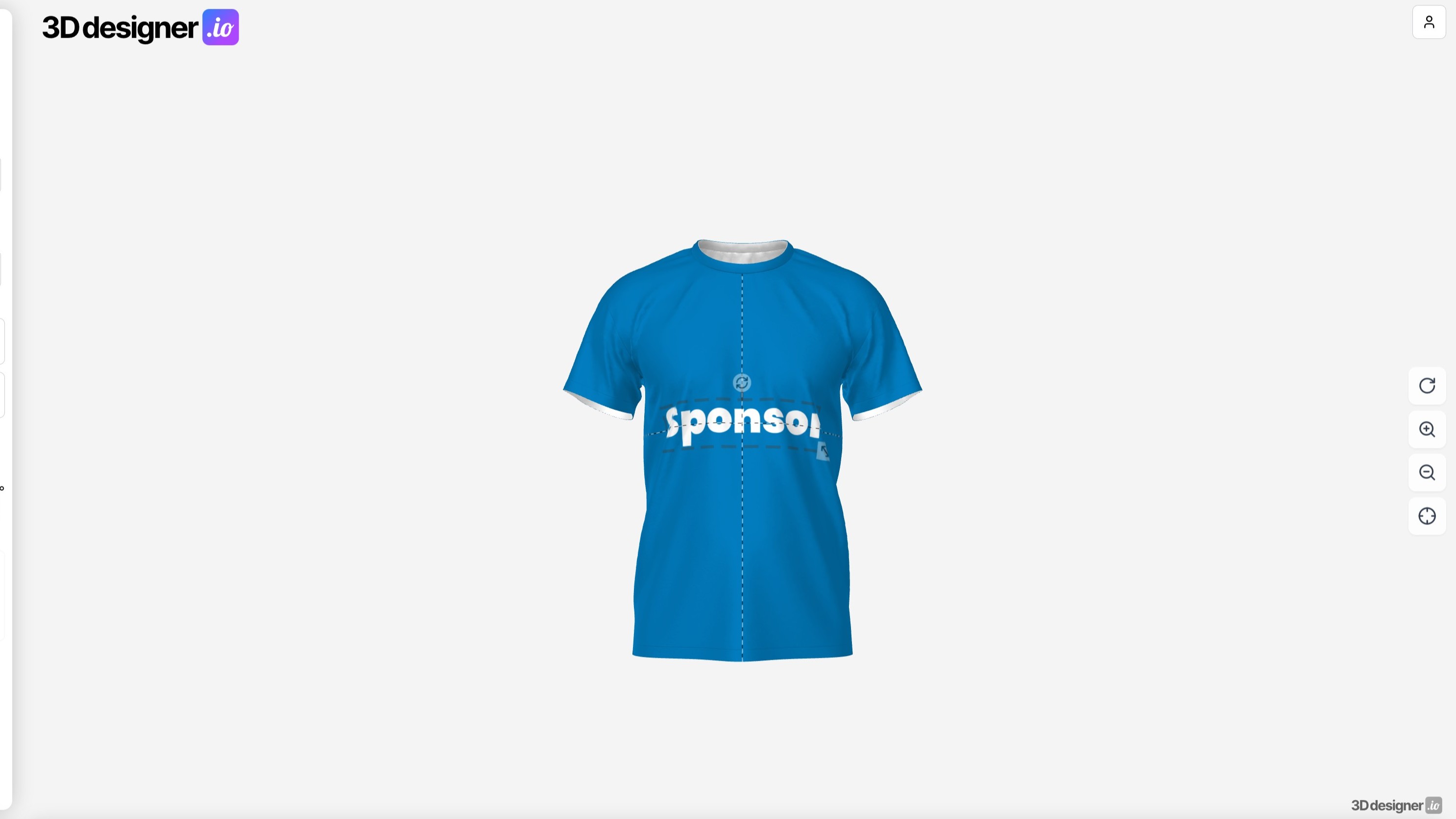
Determine thumbnail position: You can now decide from which perspective a design's thumbnail is generated. This way, each preview image looks exactly how you want it.
Centerlines for emblems: When placing emblems, centerlines now help align elements cleanly. This makes alignment much more precise and easier.
Streamlined layout in the 3D Preview
We've redesigned the 3D Preview visually. The new layout is more clearly structured and better guides you and your customers through the view. Together with preview images instead of numbers, the Preview looks much cleaner.
Further improvements
Storage space for customer assets visible: Uploaded customer assets now show the used storage space.
Order number in email subject: Internal notification emails now include the order number directly in the subject. This makes it much faster to find emails for a specific order in your mailbox.
Conclusion
The April update brings AI Try On, a completely new tool that makes your designs visible on the model. Added to this are many improvements that noticeably simplify everyday work in the 3D Designer and 3D Preview – from searchable order lists to new convenience buttons. This gives you even more ways to showcase your products, organize your orders, and delight your customers.