
December 2024 Update
Shopping cart, product switching, Shopify integration, and image gallery
December was dominated by one theme: bringing the 3D Designer closer to real shop and ordering processes. Many of you work with sets, multiple items, or existing shop systems. That's exactly what we've been building important foundations for over the past few weeks.
Switching between products and configuring multiple designs simultaneously
Previously, the 3D Designer only allowed you to design and request a single item. This was fine for simple products, but quickly became impractical when multiple designs or products belonged together.
Effective immediately, there's a real shopping cart system in the Designer. You can add multiple items and switch between them anytime. For example, you can create multiple designs for the same product or configure different products in parallel. A classic example is a set of shirt, jacket, and pants that can be designed together and combined in a single request.
Switching between items is deliberately kept simple, without interrupting the design flow. The goal was to bring the Designer closer to what users know from traditional shops, without making it unnecessarily complex.
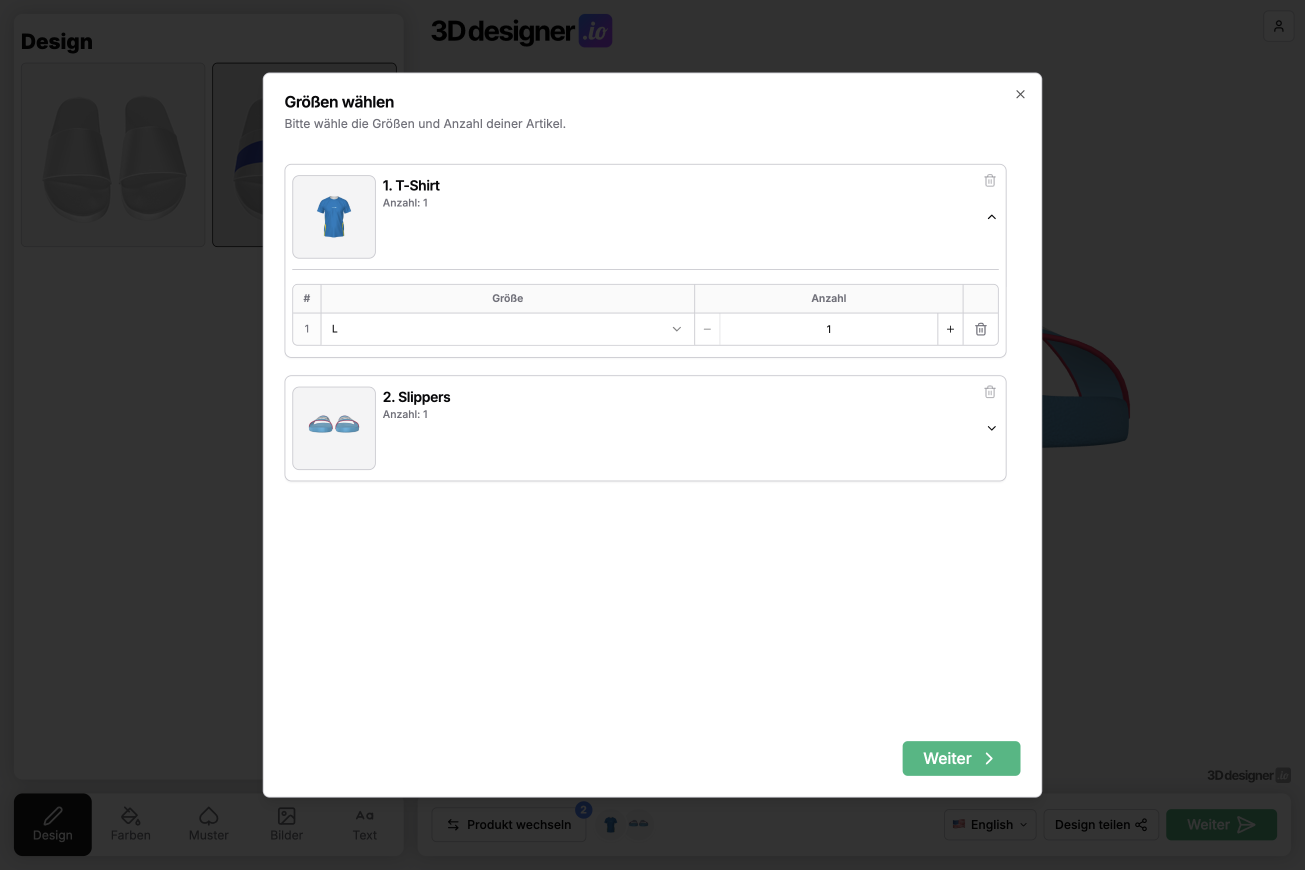
Shopping cart with sizes and quantities
The new shopping cart also makes it possible to clearly map sizes and quantities. For each item, sizes can be selected and quantities defined before it lands in the shopping cart.
This is especially relevant for B2B projects where single items are rarely ordered. At the same time, the process remains understandable and clear even for smaller orders. All configured items remain visible and can be modified or removed before the request or purchase is completed.
Shopify Integration: Connecting the 3D Designer with Shopify
A major topic in December was the Shopify integration. The 3D Designer can now be directly connected to an existing Shopify store. Products, prices, text, and variants are still managed normally in Shopify.
The process for customers remains familiar. They visit a product page in the Shopify store and see a freely configurable button there, such as "Design Now" or "Configure". When clicked, the 3D Designer opens with exactly this product.
After designing, the customer selects sizes and quantities and adds the item directly to the Shopify shopping cart. From there, everything continues as usual through Shopify. Paying, continuing shopping, or adjusting the cart works exactly as expected.
It's important to note that the entire product range doesn't need to be connected. You can selectively link individual products to the 3D Designer, while all other products continue to be sold normally through Shopify.
Image gallery for more inspiration
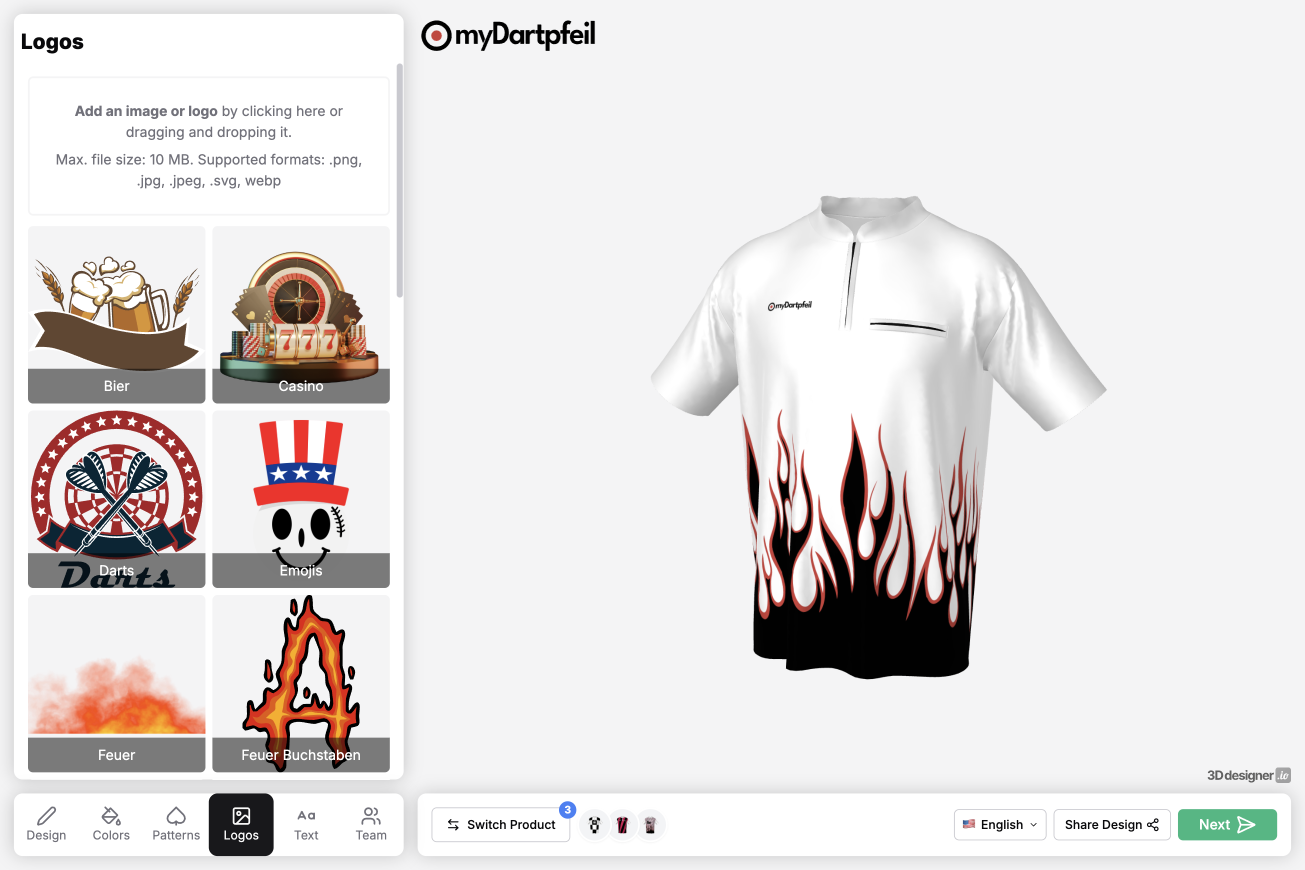
Another feature from December is the image gallery in the Designer. You can provide your customers with thematically matching images that can be used directly in the design.
This is especially helpful if you have clear thematic worlds, such as for sports like darts or basketball, for team clothing, or for occasions like weddings. Instead of starting from scratch, customers get visual reference points and inspiration that make getting started easier and often lead to better results.
The gallery is deliberately kept flexible and can be adapted depending on the product or target audience.
Conclusion
With the December update, we've created important foundations for cleanly mapping more complex ordering processes. Multiple items, real shopping carts, direct Shopify integration, and additional inspiration through image galleries bring the 3D Designer a big step closer to real e-commerce workflows.
As always: this is not an endpoint. Many of the new features are deliberately built so we can continue to expand them. Feedback from practice flows directly into the next steps.