
February 2025 Update
Patterns, Print Info in Print File, Product Status, Customer Logos and WooCommerce Integration
In February, our focus was strongly on two areas: more design freedom for customers and more security and structure in production. At the same time, we continued to expand our shop integrations so that 3D Designer fits even better into existing systems.
Patterns for Even More Design Possibilities
In addition to classic design templates, customers can now also work with patterns. These are seamlessly repeating patterns that can be freely scaled and rotated and applied across entire pattern pieces.
What's special is that customers can choose a different pattern and color for each individual part of a product. Sleeves, front, and back can be designed completely differently without making the workflow more complicated.
You have full control. The patterns are maintained by you, you can upload as many as you want, and you decide what's available to customers. This opens up significantly more possibilities, especially for collections, teams, or series products.
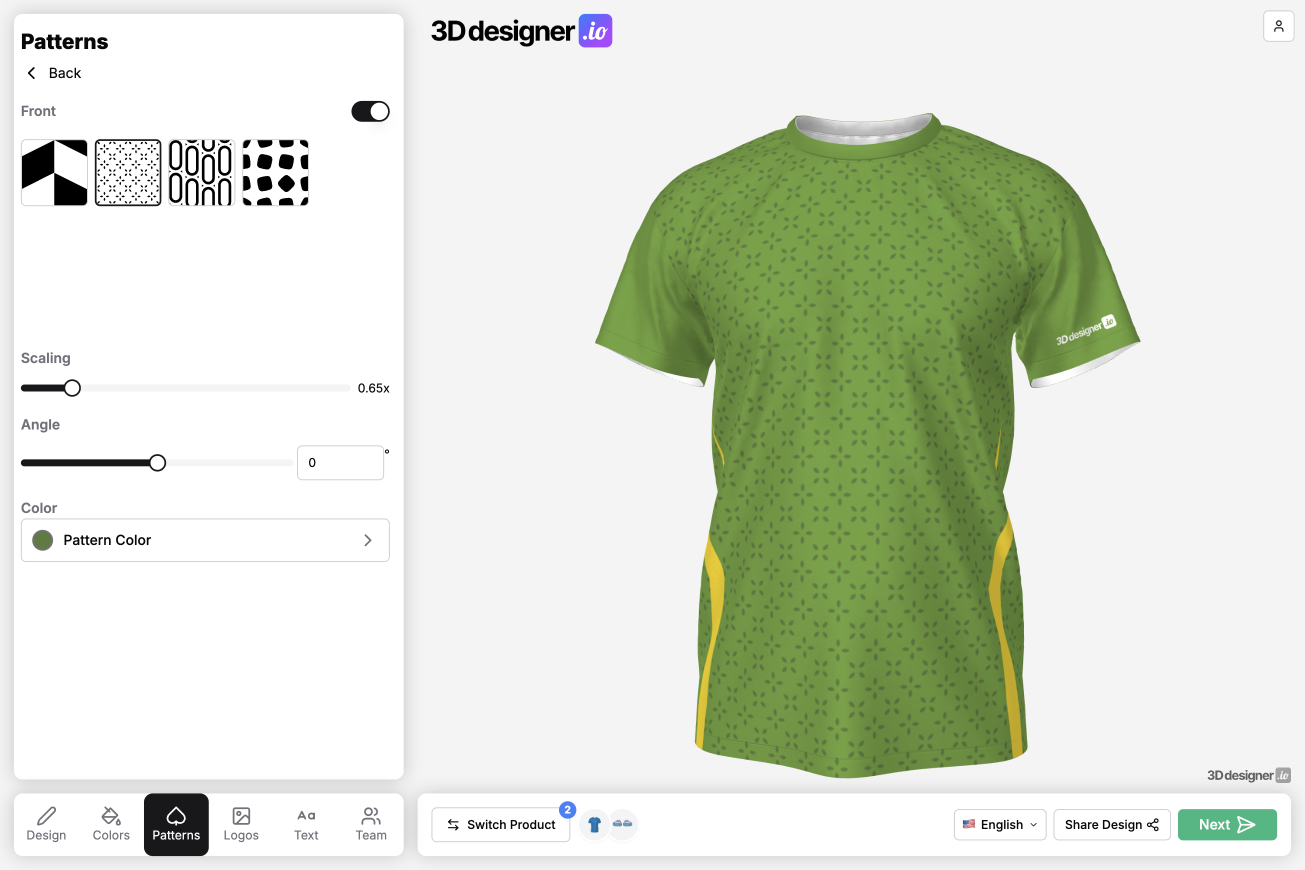
Customer Logo Directly on the Product
Many of you wanted your own logo to be automatically visible on designed products. That's now possible.
You place your logo directly in the pattern file. It's displayed to the customer in the designer and goes directly into the print file. We make sure your logo always has top priority and cannot be covered by other logos, text, or graphics.
This way, your brand stays visible, no matter how freely the customer designs.
Print Information and Barcode in Print File
For production, we've implemented a feature that makes a big difference in daily work. You can now place an info box directly on the pattern file.
This box automatically displays the order number, product name, and size. Additionally, everything is displayed as a barcode. This ensures that prints can be uniquely assigned at any time, even after cutting and during internal transport.
Especially when many orders are running in parallel or prints are moving from A to B, this helps enormously to avoid errors and prevent losing parts.
Activate and Deactivate Products
There was also an important update in product management. Products can now be activated or deactivated.
This allows you to initially maintain products completely as drafts before they're visible to customers. Conversely, you can simply deactivate products that shouldn't be offered at the moment without deleting them.
Everything is preserved and can be reactivated at any time later without having to start from scratch.
WooCommerce Integration Now Live
Following the Shopify integration in December, the WooCommerce integration is now live.
You can use your own WooCommerce store and maintain products, prices, variants, text, and images there as usual. On the product page, customers access the 3D Designer via a button, design the product, select sizes and quantities, and add everything directly to the WooCommerce shopping cart.
From there, the payment process or further shopping runs completely as usual via WooCommerce. Here too, you can connect only selected products with the designer, while others continue to be sold normally via WooCommerce.
Conclusion
The February update brings more freedom in design, more security in production, and more flexibility in shop setup. Patterns, fixed print information, and customer logos ensure cleaner processes, while active and inactive products as well as the WooCommerce integration give you more control in your daily work.