
January 2025 Update
Email Notifications, Better SVGs and More Freedom in Designer Layout
In January, it was less about big visible features and more about things that simply need to work in everyday use. Clean process completion, fewer manual steps, and more control over what the customer ultimately sees and receives.
Email Provider for Orders and Confirmations
To improve the experience for you and your customers, we've integrated an email provider directly into the application.
As soon as a new order or request comes in, you automatically receive an email notification. So you no longer have to actively check, but know immediately that something has happened and can respond promptly.
At the same time, the customer also receives confirmation that their request was successfully received. This clearly communicates that you will get back to them and what the next steps are. This provides security and the feeling that everything worked, even if it's initially just an inquiry and not a direct purchase.
SVG Support in Print File
SVGs are extremely flexible, but that's exactly what makes them technically challenging. They can be structured in very different ways, from simple paths to highly complex, nested structures.
In January, we worked intensively to not only display SVGs correctly in the Designer, but also to reliably incorporate them into the automatically generated print files. The goal from the start was for the customer's design to land exactly in the print file without manual rework.
This was significantly more complex than with classic image formats like PNG or JPG, because each SVG can be structured differently. We made the entire process more robust so that even complex customer files are cleanly processed and integrated into our SVG print files.
Improved SVG Display in Designer
In addition to the print file, the display in the Designer itself was also important to us. Many of you work with externally created graphics that are uploaded directly as SVGs.
We've extended SVG processing so that significantly more variants are displayed correctly, regardless of how they're structured. This reduces surprises between design, preview, and final production file, and makes the workflow more reliable overall.
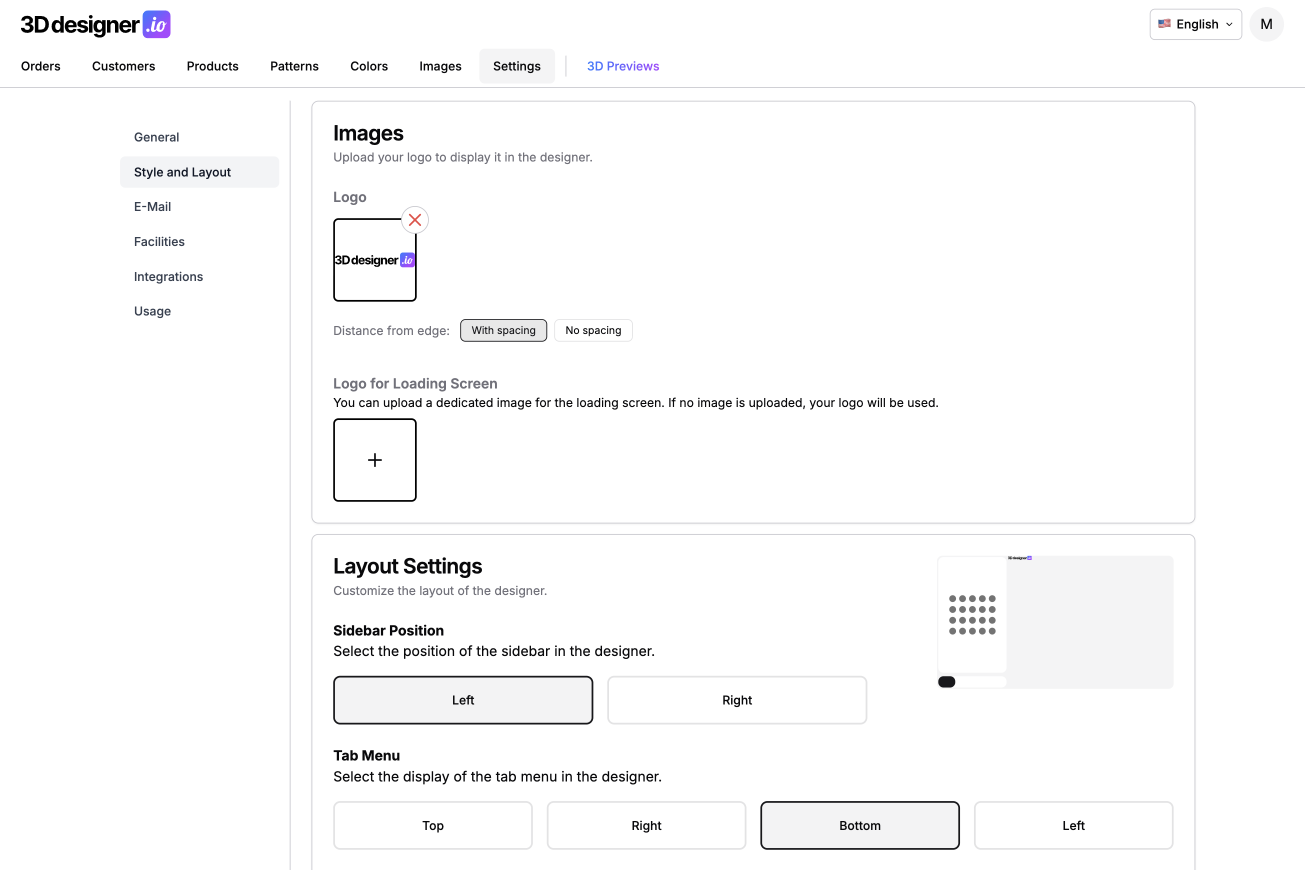
Styling Settings: Freely Position Sidebar
The Designer should adapt to your brand and use case, not the other way around. That's why we've expanded the Styling Settings.
You can now specify which side the sidebar is on, left or right. Additionally, you can determine how the tabs for Design, Colors, Texts, and Images are arranged. Horizontally or vertically, next to, above, or below the sidebar.
This allows the Designer to be integrated much more flexibly into existing layouts and visually built exactly as you envision it for your customers.
Conclusion
The January update brings more stability and control. Clear communication via email, clean SVG processing from Designer to print file, and more freedom in layout make processes run more reliably and ensure the Designer fits better with you.