
January 2026 Update
New Color Concept, Revised Product Management, and Greater Clarity for Customers
In January, we focused intensively on one of the most central topics in the Designer: colors. At the same time, we fundamentally revised product management to keep pace with growing complexity and provide you and your customers with clearer structure.
New Color Concept with Two Modes
We thoroughly reviewed each design step from the customer's perspective, paying special attention to color selection. Our goal was to make getting started easier without sacrificing full flexibility.
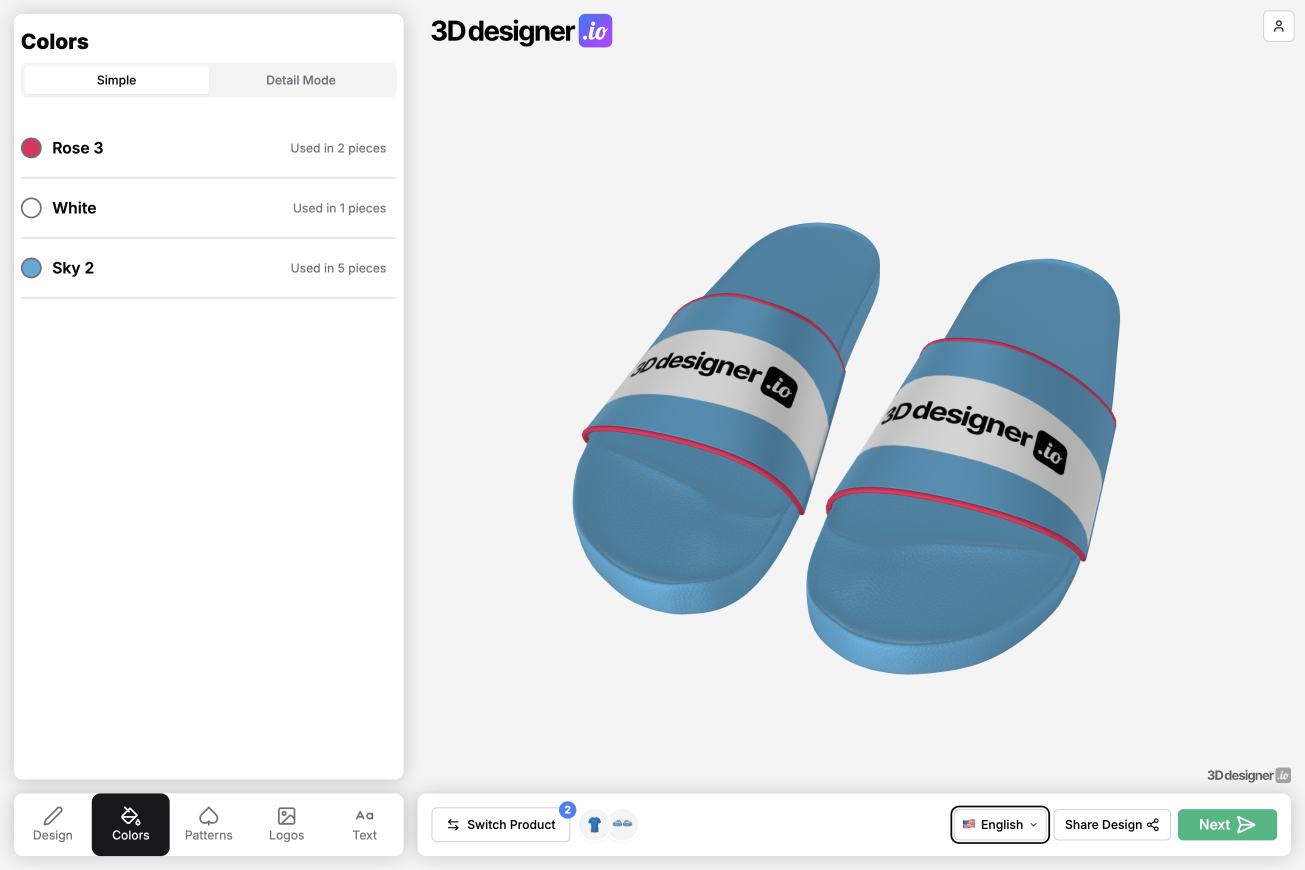
This resulted in two clearly separated modes. The previous approach is now called Detail Mode. Here, each pattern piece can still be addressed and adjusted individually. This mode offers maximum control and remains available unchanged for complex designs.
New is Simple Mode. Here, all colors currently used in the design are clearly listed. The customer can swap these colors with a single click. This is especially helpful in combination with design templates. Select a template, adjust colors, and you're done. You can switch between simple and detailed mode at any time.
Improved Color Selection for Patterns and Text
Color selection for patterns and text has also been revised. The display is clearer and more user-friendly on both desktop and smartphone.
Additionally, all colors already used in the current design are now highlighted in the color list. For example, you can directly select the same color for text that's already being used elsewhere in the design, without having to search for it.
The same principle applies to color gradients. Used gradients are saved, including both colors as well as rotation and scaling. These can then be easily applied to other surfaces.
Change Colors in Groups and Sort Manually
Colors can now be changed as groups. This makes adjustments much faster, especially with extensive designs containing many similar colored surfaces.
New is also the ability to manually sort colors. Previously, the order was automatically based on hex values. Now you can determine how your color palette is structured.
You can sort either directly in color management via drag & drop or via CSV import and export by specifying your desired order there.
Revised Color Management with Explanations
Color management has been revised not only functionally but also visually. Explanations have been added, processes described more clearly, and the interface cleaned up. The goal was to make even complex color palettes understandable and maintainable long-term.
New Product Management with Sidebar and Progress Indicator
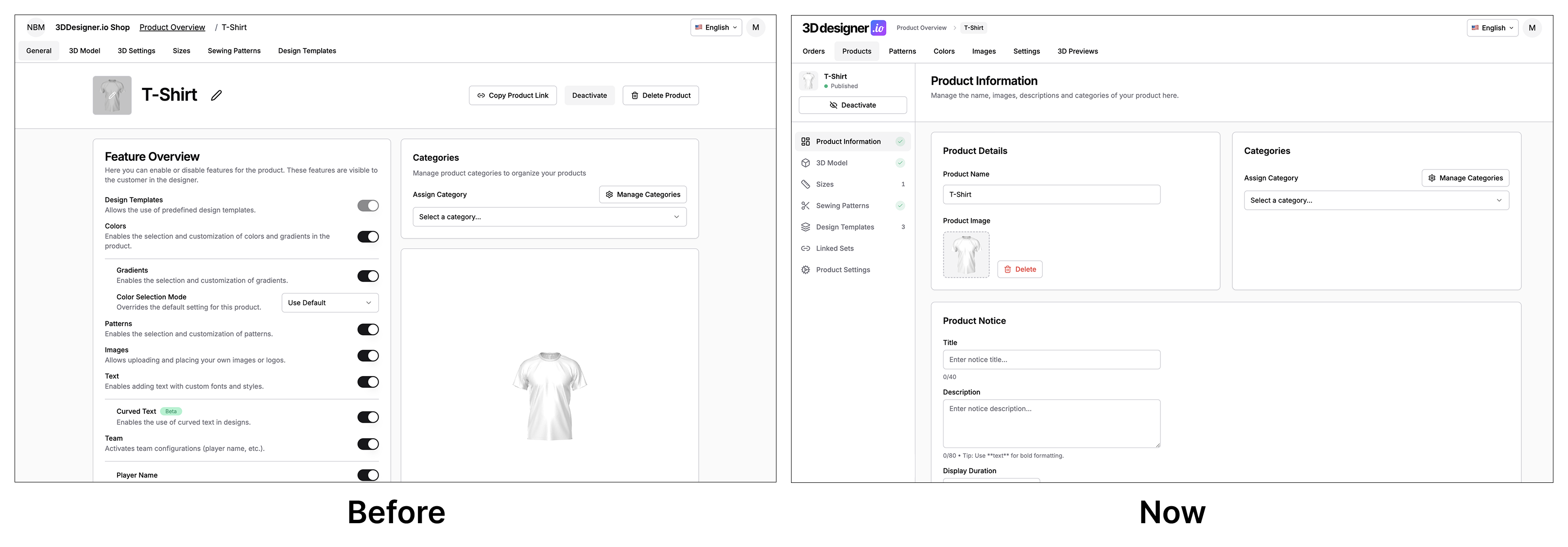
In addition to the color update, product management has received a major redesign. Product maintenance has grown significantly in recent months and will continue to expand. It was correspondingly important to have a structure that works long-term.
The new layout uses a clear sidebar structure. In the sidebar, you now also see a progress indicator for product maintenance. At a glance, you can see whether all relevant areas of a product are fully and correctly maintained.
Additionally, notifications for customers can now be specifically displayed per product, for example, notes about special features, delivery times, or special conditions.
Conclusion
The January update brings above all clarity. A new color concept with easy entry and full depth, more control over color palettes, and significantly cleaner product management ensure that both customers and admins reach their goals faster without sacrificing flexibility.