
March 2025 Update
3D Preview, new products, better color management and more control per surface
In March, we brought together many topics that share one thing above all: more flexibility while simultaneously making processes clearer. It was about better alignment with customers, more realistic representations, and being able to map complex products cleanly without making the Designer more complicated.
3D Preview: Share designs without having to design yourself
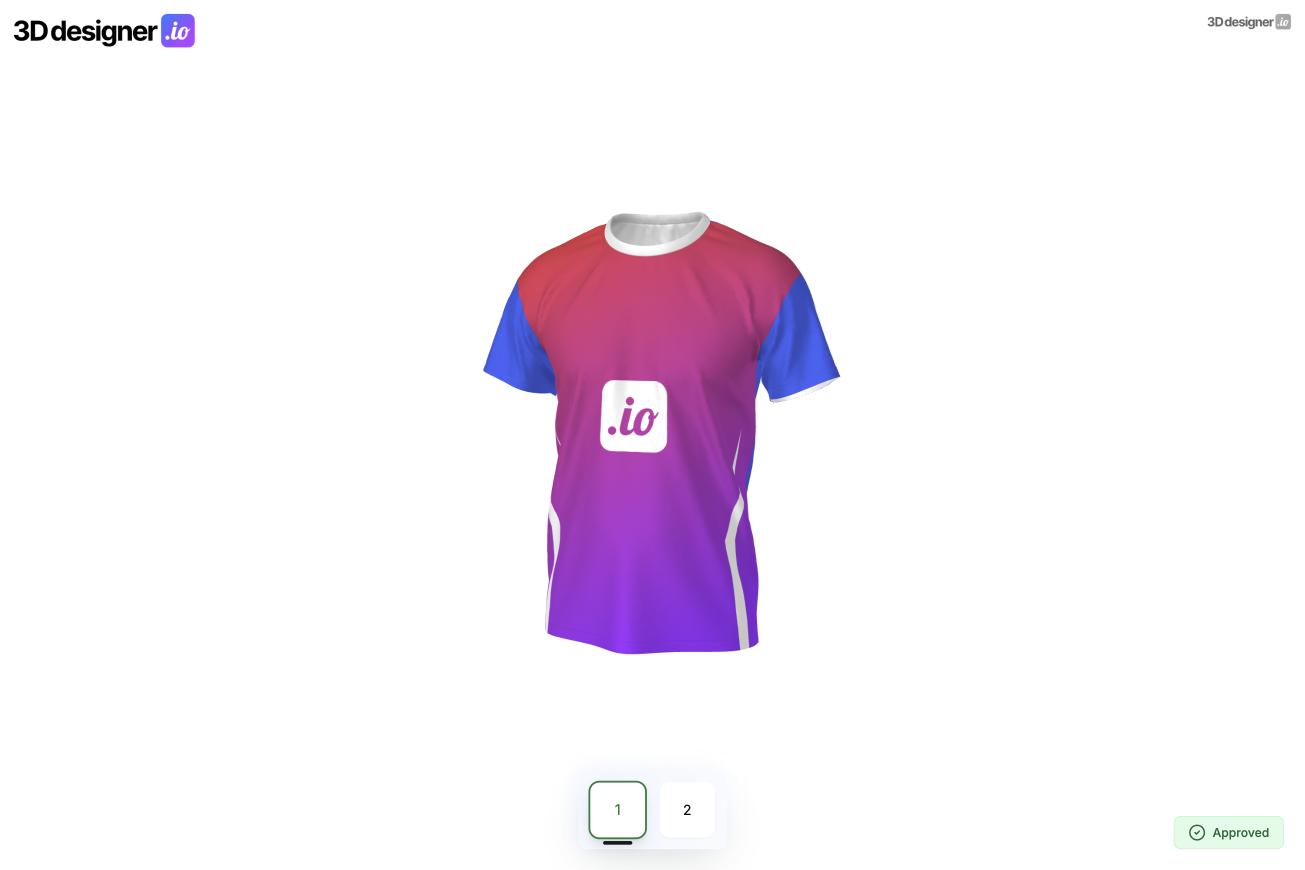
The new 3D Previewer has gone live as its own product. The idea behind it comes directly from everyday use. Not every customer wants to design themselves. Some want a professional design, others use the Designer only to suggest a rough direction.
Your design team creates the final design from this and uploads it easily. The design is automatically displayed on the 3D model. In a few seconds, a link is created that you can share with your customer.
The customer can view the product in 3D from all sides, rotate it, and get a real sense of how the design will look later. This makes feedback much more concrete and reduces misunderstandings.
It's important that the 3D Previewer can be used flexibly. It can be integrated directly into the existing 3D Designer so that the same products work for both systems. Alternatively, the 3D Previewer can also be used as a standalone product, completely independent of the Designer.
Technically, an exported SVG is sufficient, for example from Adobe Illustrator. Upload, share link, done. Without additional coordination rounds or elaborate mockups.
New products and better textures
Behind the scenes, the Designer has become significantly more flexible. This allows us to map virtually all types of textiles. As a first new example, we've added socks to our demo.
At the same time, much more detailed textures can now be used for 3D models. Different fabric types can be represented more realistically, which makes a big difference especially for high-quality or functional textiles.
Redesigned color management
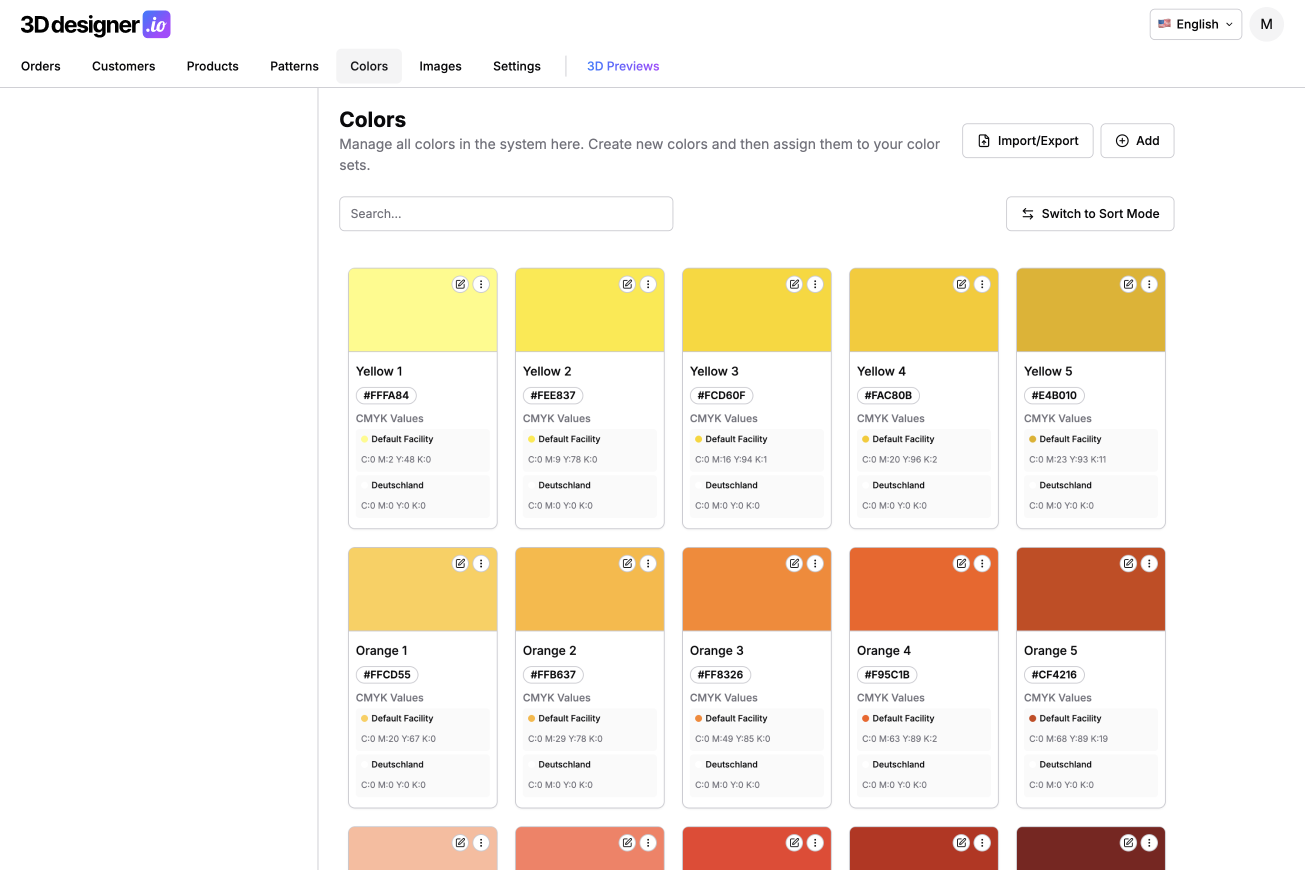
Color management has been fundamentally improved with a clear focus on usability. The goal was to be able to maintain large color palettes faster and more systematically.
Multiple colors can now be selected and edited together, for example to move them into a color set. There's a search function, freely assignable names, and simplified input for text, HEX, and CMYK values.
New are CSV import and export. If you already have many colors in use, you can maintain them externally, upload them, adjust them, and import them again. Existing colors are cleanly updated without having to create everything new.
Prepare cutting patterns for laser cutters
Another production feature concerns cutting patterns. These can now be provided with clear outlines so that laser cutters can automatically recognize and cut the shapes.
This facilitates post-processing in production and reduces manual intermediate steps, especially in automated workflows.
Surface management for maximum control
Probably the most flexible addition concerns individual surfaces of a product. Rules can now be defined for each surface.
You can specify that no images, texts, or patterns may be placed on certain parts. Likewise, custom color sets can be assigned per surface.
A typical example is a collar made of a different fabric that's only available in certain colors and shouldn't be printed. In this case, you simply assign the collar its own color set and disable images, text, and patterns. The rest of the product remains unaffected.
This way, even complex products can be represented realistically and cleanly without overwhelming customers with special rules.
Conclusion
The March update brings together many building blocks that make the Designer more mature. The 3D Previewer simplifies communication with customers, new products and textures expand possibilities, and improved color and surface management gives you much more control over your products and production processes.