
March 2026 Update
More flexible product overview, custom request forms, and sizes without pattern templates
In March, we made several enhancements across different areas. The product overview is now much more flexible to customize, you can create your own request forms, and sizes are now possible without pattern templates. In addition, we've made improvements to stability, error handling, and overall clarity.
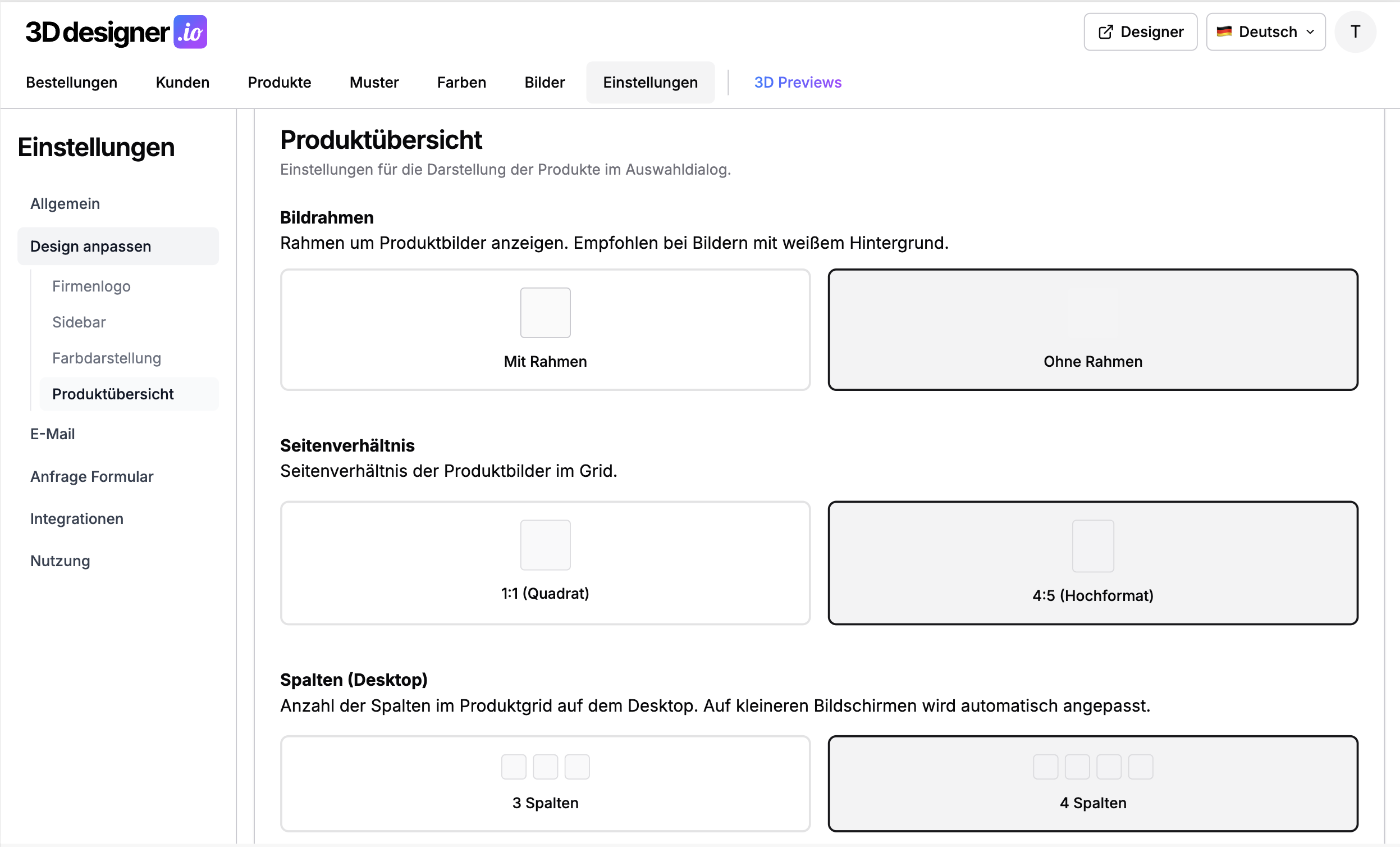
Customize your product overview
The product overview can now be customized much more to match your design. Previously, only square product images were supported. Now you can also use portrait-format images in 4:5 ratio, which looks more natural for many products.
Additionally, you can set the number of columns to determine how large or small the product images are displayed. For product images on white backgrounds, you can also enable a frame so individual products are clearly separated from each other.
If you want, you can add a secondary product image for each product. This will be displayed when a customer hovers over the product, giving an additional impression.
Custom request forms
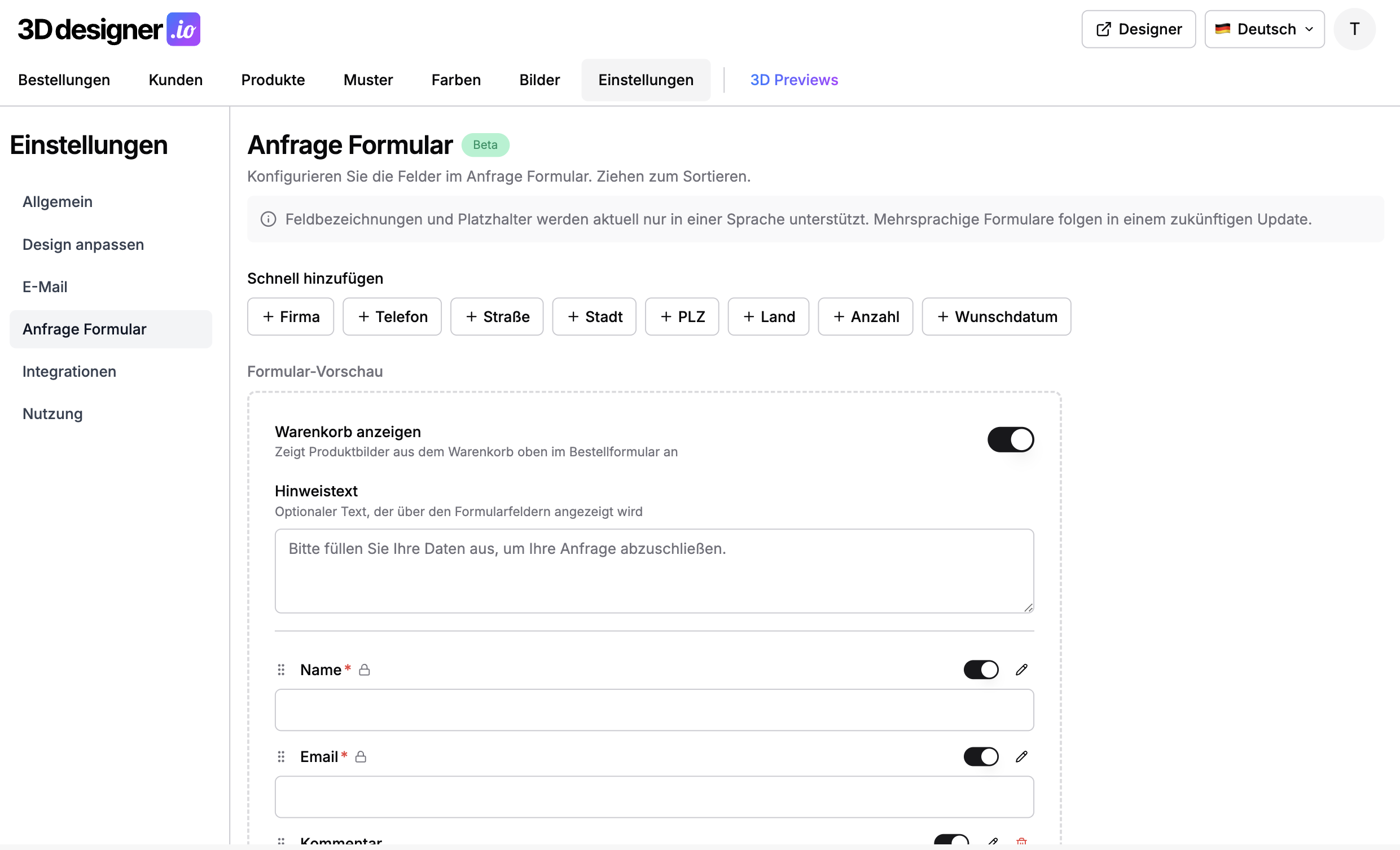
For anyone using request mode, there is now a form builder for the request form. Previously, the form was fixed to name, email, and comments. Now you can customize it yourself.
You can choose from pre-built fields, such as desired date, quantity, or address. You can also add completely custom fields. Additionally, you can add a custom description for the request step and set whether the requested products should be displayed again as an image list.
Sizes without pattern templates
It is now possible to add sizes even if you don't work with size scaling for print files. Previously, sizes were always linked to a separate pattern template. This is no longer necessary.
You can add available sizes directly in the respective product under Sizes. Once multiple sizes are set for a product, an intermediate step automatically appears before the request form, where your customers can specify the desired sizes and quantities. In the order, you'll receive the pattern template in standard size plus a complete list of the requested sizes. This also works in combination with team configurations.
User-friendly error page
When unexpected errors occur, a clear error page is now displayed. This automatically includes relevant device information that can be copied with a single click or sent directly to support via email. This greatly simplifies error analysis and speeds up problem resolution.
Improved 3D model stability
Invalid GLB files are now reliably detected and clearly communicated to the user, instead of resulting in confusing errors. If a 3D model cannot be loaded, you immediately see what's wrong and can respond accordingly.
Further improvements
Text information in order details: Text information is now displayed in order details. For each text used, you can see the font and colors.
Team tab before text tab: The order of the team tab and text tab has been switched. Based on your feedback, we moved the team tab to the front. This way, customers see the team configuration first and don't accidentally add player names and numbers in the text tab before discovering the separate team area.
Website URL in logo: You can now add your website URL. Clicking the logo in the designer will direct your customers to your website.
Redesigned settings page: The settings page has been redesigned and is now more clearly structured.
Conclusion
The March update gives you more control over the appearance and ordering process. A more flexible product overview, freely customizable request forms, and sizes without pattern templates expand your options. Combined with improved error handling and many other minor optimizations, 3D Designer becomes even more polished for both you and your customers.