
May 2025 Update
3D Preview Screenshots, Better Overview, and More Stable Image Processing
In May, we focused mainly on fine-tuning. Many of the changes came from concrete feedback and aim to make working with the 3D Preview, the Designer, and Shop integrations even smoother.
Screenshots and 360° Images in 3D Preview
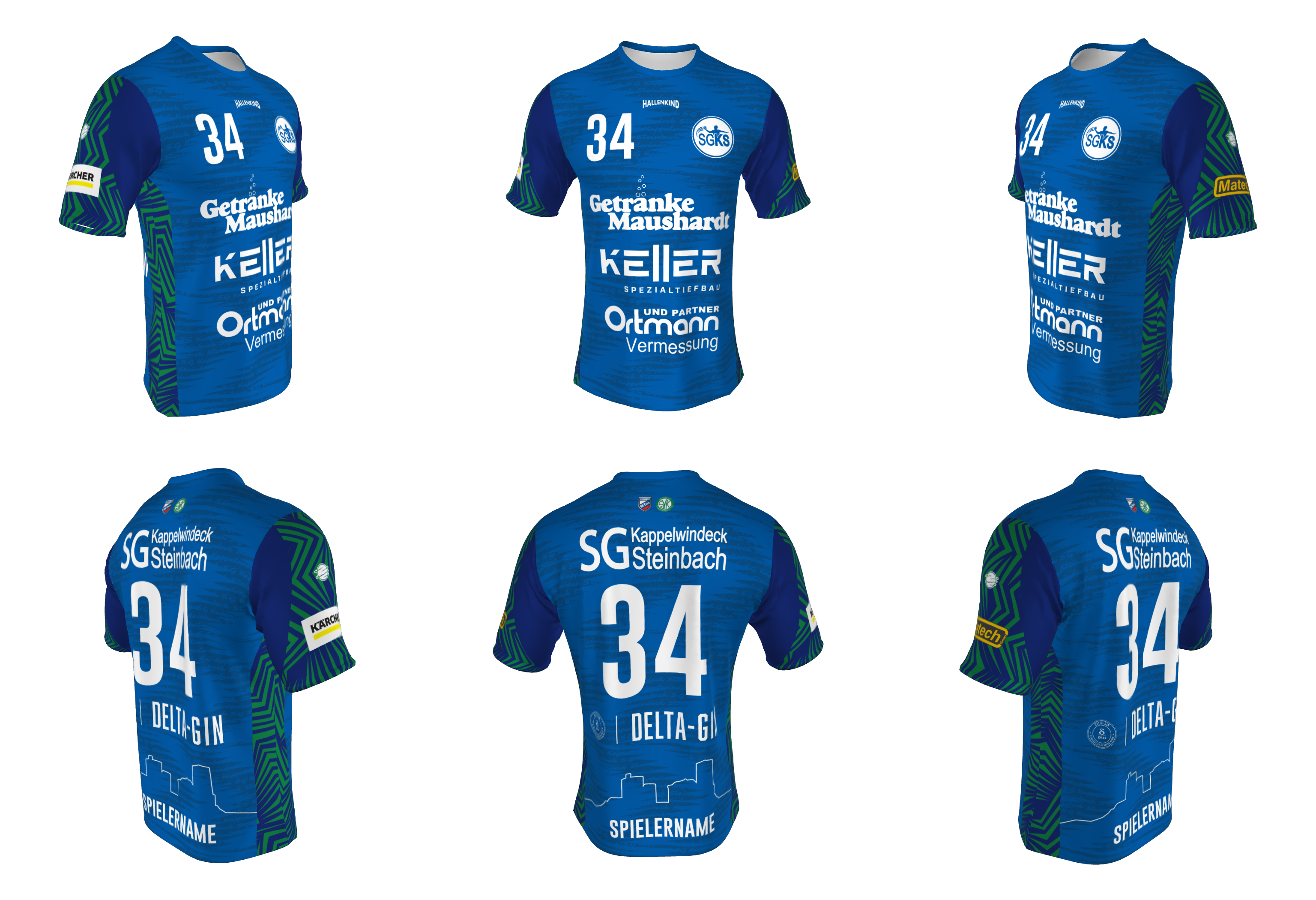
The 3D Preview has been expanded with a practical feature. You can now generate product images directly from the 3D model at the push of a button.
You have two options. Either you create individual screenshots of each side of the product, or a 360° product image that shows the product from all sides in a single image.
These images are perfect for customer communication, such as in emails or presentations. At the same time, they can also be used for website content, social media, or print materials like flyers.
All images are generated from a fixed angle and at identical distances. This results in consistent product representations, regardless of who creates them or when.
More Information for 3D Previews
To help you better organize and find your previews, the interface has been expanded.
You can now add a customer name, company name, and internal note to each 3D Preview. This information helps assign previews uniquely, even with larger projects or many parallel customers.
Additionally, there is a search function within the list so entries can be quickly filtered and found.
Improved Table View
The tables in the system have also been redesigned. In addition to the search, entries can now be displayed more clearly by date. Customer and company names are directly visible, which significantly improves navigation, especially when many previews or orders exist in parallel.
Bugfix: WhatsApp Images Print Correctly
A specific bug that affected some of you was fixed in May. Images that were originally sent via WhatsApp, downloaded there, and then uploaded to the Designer could cause problems.
WhatsApp compresses images heavily, which caused them to not display correctly in the Designer or in the print file. Image upload has been made more robust and now supports additional formats and variants. These images are now displayed correctly and processed cleanly in the print file.
Improvements to Shopify and WooCommerce IDs
Small but important in daily use: When entering Shopify and WooCommerce IDs, whitespace is now automatically ignored.
This prevents unnecessary errors from copy-and-paste and ensures that integrations work more reliably, even when IDs are not perfectly formatted when entered.
Conclusion
The May update doesn't bring major new modules, but many improvements that make working with the system noticeably more pleasant. Consistent 3D Preview images, better overview, more stable image processing, and minor integration optimizations directly contribute to a clean workflow.